
 Welcome bonusUp to 2 000 CAD + 100 FSfor the first 2 deposits
 Welcome bonusUp to 2 000 CAD + 100 FSfor the first 2 deposits


Instant
Quick & easy deposits
Up to 60 mins
Avg time for processing withdrawals

24/7
Customer Support

58,687 CAD
Max. win in 1 spin
We accept top crypto
BTC, ETH, TRX, USDT and more
4700
TOP Slots


Casino



Tiger gems






Live casino






Promotions
Promotion
Change & Win
Tournament
Tom Horn Battle Cup
WinSpirit App: The Complete Guide to Playing on Mobile
Getting the WinSpirit app onto your phone takes less than two minutes, and no app store is involved. We use PWA technology, which means you install directly from your browser — on iOS, Android, Windows, or macOS. Once it’s on your screen, you get instant access to slots, live dealer tables, sports betting, and all your active bonuses. This guide covers the download process, platform-specific steps, what to play once you’re in, how to fix the rare issue when something doesn’t load, and where to go if you want a deeper look at any one topic.
What This App Actually Is
The WinSpirit Casino app is a Progressive Web App — a PWA. That’s not an Android APK or an iOS .ipa file. You don’t download it from Google Play or the App Store. Instead, the app installs directly from your browser and sits on your home screen like any other app icon.
When you open it, you get the full casino experience: your account balance, your bonuses, your game history, and every section of the site — all in one place, without the extra step of opening a browser tab. The app remembers your login, so you authenticate once and you’re done.
PWA technology means updates happen in the background automatically. You never need to visit a store or tap “update.” The next time you open the app, any new features or fixes are already there.
We offer this approach because it works on every major operating system without requiring you to maintain separate installations. One install process, one app, all platforms.
Installing on iPhone
WinSpirit Casino iOS app installs through Safari’s Share menu — that’s the key difference from Android. Chrome on iOS won’t give you the same “Add to Home Screen” option, so use Safari specifically.
Here’s the exact path:
- Open Safari on your iPhone or iPad.
- Go to the Win Spirit website.
- Tap the Share icon at the bottom of the screen.
- Select “Add to Home Screen.”
- Confirm the name and tap “Add.”
The icon appears on your home screen immediately. Tap it to open the app, log into your account, and go to the Bonuses tab in your profile to activate the 20 no-deposit free spins that come with the install promotion.
That bonus requires no deposit. The bet per spin is 0.10 CAD, wagering is x40, and you can only claim it once per account. It lands automatically — just open the Bonuses tab after your first login through the app.
Installing on Android
Win Spirit Casino Android install runs through Chrome’s three-dot menu, which you’ll find in the top-right corner of the browser. Other Android browsers may not surface the install prompt reliably, so Chrome is the right choice here.
The steps are short:
- Open Chrome on your Android device.
- Go to the Win Spirit website.
- Tap the three dots in the top-right corner.
- Select “Install the WinSpirit Casino App.”
- Tap “Install” in the prompt that appears.
The app installs to your home screen within seconds. You’ll be taken into the full site immediately after — no additional setup required.
If Chrome doesn’t show the install option on the first visit, try refreshing the page once. The prompt sometimes needs a moment to appear depending on your browser version.
A Quick Look at the Download Process
Every platform uses a slightly different path to get the app installed. WS Casino app download guide compares every platform side by side, but here’s the condensed version.
The table below shows which browser to use and how many steps each installation takes:
| Platform | Required Browser | Steps to Install |
| Android | Chrome | Open Chrome → three-dot menu → Install the App → Install |
| iOS (iPhone / iPad) | Safari | Open Safari → Share icon → Add to Home Screen → Add |
| Windows | Chrome | Open Chrome → install icon in address bar → Install |
| macOS | Safari or Chrome | Safari: Share → Add to Dock → Add / Chrome: install icon → Install |
One important note for macOS users: the install option is available in both Safari and Chrome on Mac, but the menu path differs slightly between the two. Either browser works fine.
Once installed on any platform, the login process is the same. Enter your credentials once, and the app keeps you signed in for future sessions.
Why It’s Called a PWA
PWA stands for Progressive Web App. It’s a web application that behaves like a native app without being submitted to or distributed through any app store. Your browser handles the installation directly from the website.
The WinSpirit PWA guide explains exactly what makes this different from a native app, but the short version is this: a PWA lives in your browser’s engine, updates itself silently, and doesn’t need storage space the way a traditional app does.
For Canadian players, this matters for one practical reason — you’re not dependent on regional app store availability. There’s no region-lock, no approval delay, and no version mismatch between your device and what we’ve released.
Loading and response speed in our app takes fractions of a second. That’s not a vague claim — the PWA architecture keeps the core interface cached locally, so it doesn’t reload from scratch every time you open it. You go straight to your account.
Playing Slots on Mobile
Win Spirit mobile slots run at full quality once the app is installed — no compression, no reduced graphics mode. You get the same experience you’d have on a desktop browser.
Our slot library covers several categories through the app:
- Jackpot slots — titles like Immortal Romance, Buffalo Rampage, and Rings of Olympus, where jackpot amounts are tracked live
- Crash games — Aviator, Mines, and similar titles where multipliers grow until you cash out
- Table games — roulette, blackjack, baccarat, and poker variants across dozens of providers
- Bingo — including Immortal Romance Video Bingo, Candy Bingo 3D, and Pachinko Mystery Ultra
Providers available through the app include BGaming, Spribe, Pragmatic Play, Games Global, KA Gaming, Gamzix, and many others. You’re not accessing a stripped-down subset — the full catalogue loads through the app the same way it loads on desktop.
If you want to browse by type, the category tabs work in the app exactly as they do on the full site. Filter by Jackpot, Tables, Crash, or Bingo and the results update immediately.
Live Casino on Mobile
Our live dealer section runs over a real-time video stream, and on mobile that stream holds up well. WS Casino live mobile streams run without any quality loss inside the app, provided your connection is stable — a standard 4G or Wi-Fi signal is enough.
Here’s how the mobile app compares to the mobile browser for live casino:
| Feature | Mobile App | Mobile Browser |
| Login required per session | Once (remembered) | Every session |
| Stream quality | Full | Full |
| Table lobby access | Yes | Yes |
| Notification support | Yes (via PWA) | No |
| Home screen shortcut | Yes | No |
| Load time | Faster (cached) | Standard |
We cover live baccarat, roulette, blackjack, poker, Dragon Tiger, and Sic Bo through providers including Pragmatic Live, Vivo Gaming, and Imagine Live. Game show formats are also available through the live lobby.
The lobby section lets you filter by game type — baccarat, roulette, blackjack — without scrolling through every available table. On a phone screen, that matters.
When the App Doesn’t Load Properly
Most loading issues with the app come down to three things: a stale cache, a connection drop, or a browser that needs updating. WinSpirit Casino app not working issues are almost always fixed by a fresh reinstall, which takes under two minutes on any platform.
Before reinstalling, try these steps in order:
- Clear your browser cache — on Chrome (Android/Windows), go to Settings → Privacy → Clear browsing data and clear cached images and files
- Check your internet connection — switch between Wi-Fi and mobile data to rule out a network issue
- Restart the app — close it fully from your recent apps list, then reopen it
- Update your browser — an outdated version of Chrome or Safari can prevent the PWA from loading correctly
- Reinstall the app — remove the icon from your home screen and follow the install steps again from the Win Spirit website
If none of those steps resolve it, reach out through our live chat, which runs 24/7. You can also contact us via email. Our team will identify the issue on your specific device and walk you through the fix.
Choosing Where to Start
If you landed on this page looking for one specific piece of information, here’s where each topic lives:
- Phone or iPad setup — the iOS install section above covers the full Safari installation process, including device-specific notes.
- Android setup — the Android section above explains the Chrome installation process and provides additional information about device compatibility.
- Cross-platform comparison — compare all supported platforms and installation options in one place.
- PWA technology — learn how the technology works and why no app store is required.
- Slots on mobile — explore the full game catalogue available through the app.
- Live dealer on mobile — find details about streaming quality and live table availability.
- Troubleshooting — discover solutions for the most common installation and performance issues.
Use those links if you need the full detail on any one topic. This page gives you the overview — the linked sections go further on each area.
Keeping the App Updated
Our PWA updates itself. You don’t need to do anything — no app store check, no manual download, no version number to track.
Here’s how the update process actually works:
- Updates happen automatically when you open the app while connected to the internet
- The cache refreshes in the background, replacing old files with the current version
- You always run the latest version — there’s no way to accidentally stay on an outdated release
- No notification is sent for routine updates — they happen silently and don’t interrupt your session
- Major changes appear immediately the next time you open the app after they’ve been deployed
This is one of the practical advantages of PWA over a native app. On a traditional app, you’d need to open your app store, find the update, and wait for it to download. Here, it’s handled entirely on our end.
If you ever suspect the app is showing outdated content, clearing your browser cache and reopening the app will pull the freshest version. That’s the one manual step you’ll ever need.
FAQ
Is the WinSpirit app available on the App Store or Google Play?
No — the app is not listed on the App Store or Google Play. It installs directly from the WinSpirit website through your browser. No account with any app store is needed, and there’s no approval or regional restriction involved.
Does installing the app cost anything?
No, the app is free to install. Beyond that, installing it through your account qualifies you for 20 no-deposit free spins — awarded automatically, with a bet per spin of 0.10 CAD and x40 wagering.
Which platform is the easiest to install on?
Android with Chrome is the most direct path — three taps from the browser menu and the app is on your screen. iOS through Safari takes a similar number of steps but uses a different menu structure (the Share icon rather than a three-dot menu).
Do I need to update the app manually?
No. Updates apply automatically every time you open the app while connected to the internet. There’s nothing to download separately, and no version number to check. The app always reflects the current state of the site.
Does the app work without downloading anything extra?
Yes. The PWA installs from the browser itself — there’s no separate file to download, no APK to sideload, and no additional software required. Once the icon is on your home screen, you’re ready to log in and play.
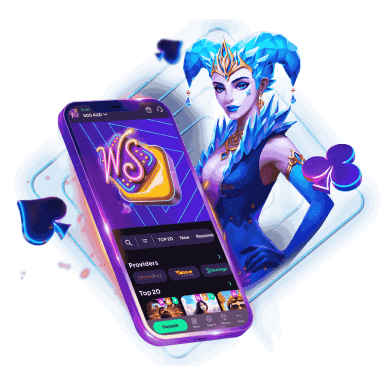
WinSpirit is always with you!
Install the application and participate in the Play with the App promo.
We use innovative installation technology directly from the browser. For any operating system.